Windows Setup
This section will help you through the process of setting up PCSX2 on Windows.
Required software
tip
Make sure to install all the required software-first before proceeding with the setup.
Visual C++ redistributable
- You need the Visual C++ 2019 x86 Redistributables to run PCSX2.
- They are combined with other yearly releases Visual Studio 2015, 2017, 2019, and 2022. 64-bit version (x64) is required for 1.7.0 and higher (though early 1.7 builds still required 32 bit versions)
FFmpeg (Optional)
- PCSX2 requires some additional FFmpeg libraries to enable video capture.
- Grab the FFmpeg Windows files here.
- Extract the zip file, then place the extracted dll files in your PCSX2 folder. They should be in the same folder as the main PCSX2 exe file.
Setup process
Extracting PCSX2
tip
- Head over to the download page and grab the latest Nightly build if you haven't done so already!
-
Use 7-Zip to extract the
.7zarchive.- Install 7-Zip.
- Right click on the archive.
- Find the entry for 7-Zip.
- Click on
Extract to [folder name] option.
- This will extract PCSX2 to the same directory where you put the
.7zfile.
Launching PCSX2
-
Run the
pcsx2-qt.exefile
-
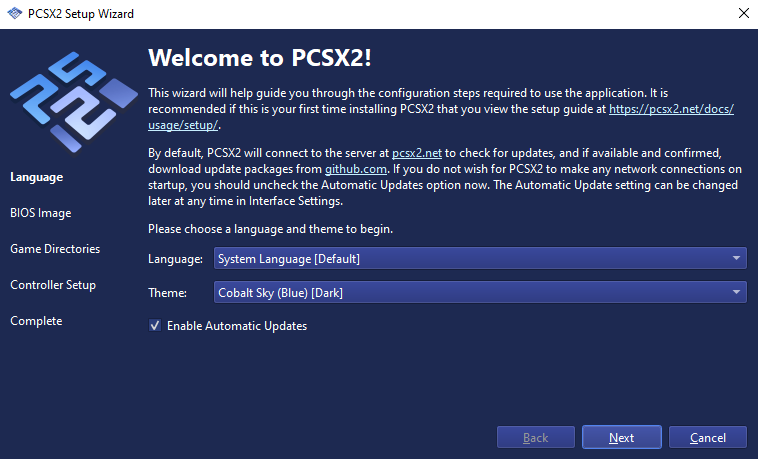
Follow the setup wizard and you are ready to play!